v0: AI builds the first draft, you make it yours
An AI tool that generates working UI components from plain English descriptions. Great for getting started fast — but never ship it as-is.
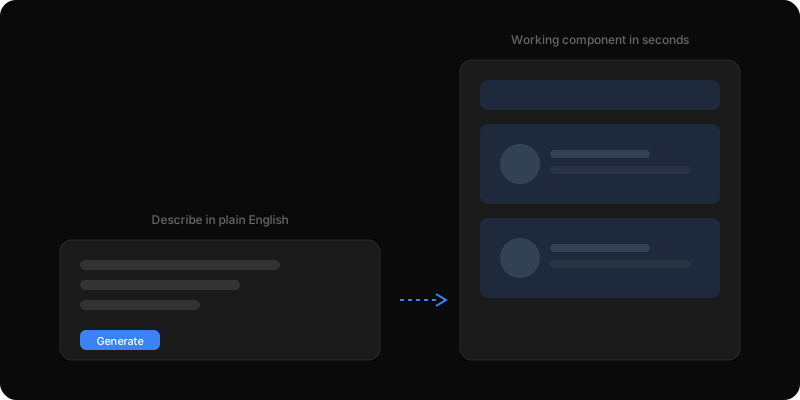
Describe what you want in plain English — 'a testimonial section with photos, names, and quotes in a two-column grid' — and v0 generates a working component in seconds. Not a mockup, not a wireframe. Actual code you can drop into your project and see on screen immediately.
The catch? The output looks like every other AI-generated component. Same rounded corners, same safe colors, same 'SaaS landing page' feel. The value is in the speed to first draft, not the final result. Think of it as getting a rough sketch from a fast illustrator — useful as a starting point, not a finished piece.
This entire portfolio started as a v0 export. The very first version was generated by describing the pages I wanted: a hero section with a 3D element, a blog page with case studies, an about page with a timeline. v0 produced the scaffolding for all of it in under an hour.
Then the real work began. The original v0 output had generic blue buttons, standard gray text, and the same border radius you see on every Vercel template. Over the next few weeks, every piece was replaced: custom colors, a serif font for headings, subtle scroll animations, a dark-mode featured strip, and the 3D hero scene. The current site is unrecognizable from the v0 original.
Here is a practical example. I told v0: 'Create a blog post reader with a serif headline, metadata row showing date and category, body sections with pull quotes, and an author card at the bottom.' It generated a working layout in about ten seconds. I then spent an hour adjusting the typography scale, line heights, and spacing until the reading experience felt right. The structure was free. The personality was mine.
v0 excels at standard patterns. Card grids, navigation bars, form layouts, pricing tables — anything that has a well-known structure. For these, it saves you the boring boilerplate of setting up flexbox containers and responsive breakpoints.
It struggles with anything that needs to feel distinctive. Brand-specific design, unusual layouts, complex animations, or anything where the visual identity is the point. v0 defaults to safe choices, which means every v0 site looks alike. The moment a visitor recognizes the v0 aesthetic, it undermines your message that you build thoughtful, original things.
The rule of thumb: use v0 to get the skeleton, then spend at least as much time customizing as you saved generating. If the AI built it in ten minutes, plan to spend at least ten minutes making it yours.
Go to v0 and sign in. Type a description of the component you want — be specific about layout, content, and behavior. The more detail you give, the closer the output. Copy the generated code into your project.
Then start replacing: swap the default colors for your brand palette. Change the font stack. Adjust the spacing scale. Remove the generic shadows and borders. Test it on a phone. Compare it to the rest of your site and ask: does this look like it belongs here? If it still looks like a template, keep customizing.
One important detail: v0 generates code using shadcn/ui components and Tailwind CSS. If your project already uses these (most modern Next.js projects do), the output drops in cleanly. If your project uses a different styling system, you will need to translate.
Building AI products in public.
Occasional notes on what I'm shipping, what's working, and what broke — straight to your inbox. No spam, unsubscribe anytime.
Product leader shipping across enterprise SaaS, AI in production, and 0→1. Writing about what actually ships — not what sounds good in a deck.